The LoRaWAN specification defines three types of devices: Class A, Class B, and Class C. In this article, we’ll go through the different device classes, their uses cases and the pros and cons of each class to help you decide which devices are best for you.
All LoRaWAN devices must support Class A, while Class B and Class C are optional extensions of this. Every device can send and receive messages (although they can’t send messages whilst receiving), but if you wish to do firmware updates over-the-air they need to switch to either Class B or C.
Class A
All LoRaWAN devices must support Class A. A Class A device can send a message (uplink) at any time, and after doing so, it opens two short windows to receive messages (downlink). If the network doesn’t respond during these windows, it will try again after the next uplink. Class A devices are energy-efficient and usually battery-powered, but they have higher latency for downlinks since they only receive after sending an uplink.

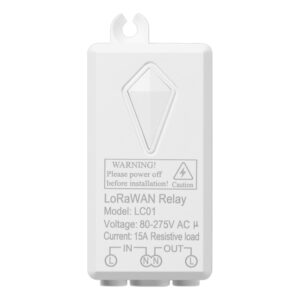
Use Cases for Class A Devices:
- Occupancy/people counting
- Environmental monitoring
- Leak detection
- Door open/close monitoring
- Air quality monitoring
| Pros: | Cons: | ||
| Very Power-Efficient | Limited Downlink Communication | ||
| Easy to Scale | High Latency | ||
| Implemented on all devices | Can’t do firmware upgrades OTA |
Class B
Class B devices improve on Class A by periodically opening extra receive windows called ping slots. This allows the network to send messages at specific times, reducing downlink latency compared to Class A. However, Class B devices use more power since they stay active longer, often requiring more frequent battery replacements. Class B is suitable for devices that need timely responses, like utility meters.
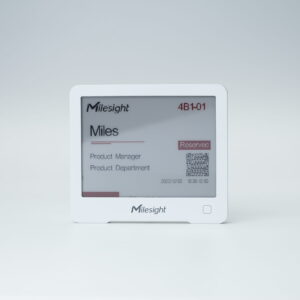
Use Cases for Class B Devices:
- Utility meters
- Asset tracking
- Remote control systems
| Pros: | Cons: | ||
| Improved Downlink Communication | Increased Power Consumption | ||
| Reduced Latency | More difficult to scale | ||
| Can do firmware upgrades OTA | Issues with synchronization |
Class C
Class C devices further extend Class A by keeping their receive windows open almost all the time, except when sending an uplink. This allows for the quickest downlink response times but at the cost of much higher power consumption. As a result, Class C devices are usually mains-powered. They are ideal for applications requiring immediate action, like alarms or controlling street lights.
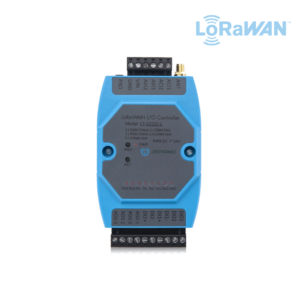

Use Cases for Class C Devices:
- Utility meters
- Building Management Systems
- Fire Alarms
| Pros: | Cons: | ||
| Real-time Communication | High Power Consumption | ||
| High Data Rate | Harder to Scale | ||
| Can do firmware upgrades OTA | Not suitable for low data rate applications |